
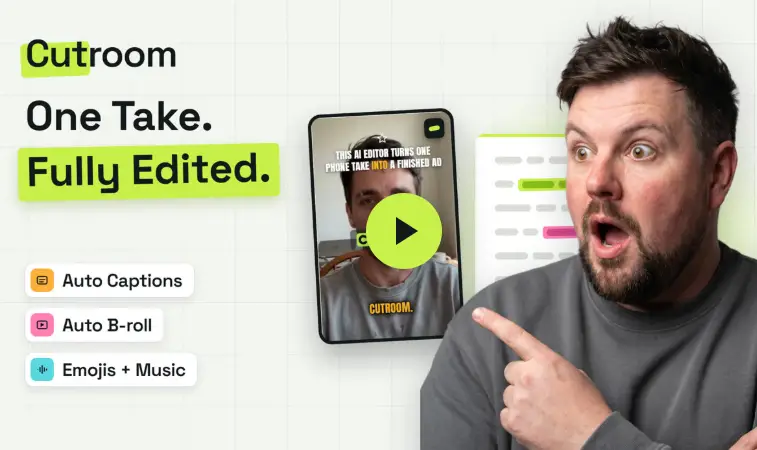
If you create short-form video, you already know the filming is the easy part. The editing is what eats your week. CutroomAI wants to take that part off your plate.
Here’s the content creator’s dilemma in 2026: every platform rewards consistency, and short-form video is the format that rewards it most. Reels, TikTok, YouTube Shorts, and Facebook all want a steady stream of vertical video. But recording a 45-second clip takes a few minutes, and editing it, cutting the dead air, adding captions, finding b-roll, writing a hook, timing everything, can take hours.
That gap between “filmed it” and “finished it” is exactly what Cutroom is built to close. You record one take of yourself talking, upload it, and Cutroom hands back an edited, captioned, b-roll-covered vertical video, usually in a few minutes. No timeline. No learning curve.
This post breaks down what Cutroom does, what it costs, where it shines, and where it doesn’t fit, so you can decide whether it deserves a spot in your content workflow.
What Is Cutroom?
Cutroom is an AI video editor designed for one specific job: editing spokesperson videos, the kind where one person talks to the camera. You upload a single spoken take of up to three minutes, and it returns a finished 9:16 MP4 that’s ready to post.
Here’s the process in a nutshell:
- Record one take. Just you, talking. Vertical video works best, and a wide take is center-cropped to fit.
- Cutroom transcribes every word.
- B-roll lands on the exact words it illustrates.
- A hook and captions get added to the video.
- Tap once for music, and you’re done.
The big difference from a traditional editor like CapCut is where you start. CapCut hands you a blank timeline. Cutroom hands you a finished edit that you adjust if you want to. For creators who would rather talk than tinker, that’s a very different experience.
What You Get: The Key Features
1. An AI-Written Hook
The first few seconds of a short-form video decide whether anyone keeps watching. Cutroom puts a headline card over the opening seconds, written from what you actually said, in one of 15 hook themes. Don’t like the line it picked? You can choose another one, change the theme or height, or hold the hook on screen for the whole video.
2. Captions in 40 Styles
Captions are non-negotiable for short-form video, since so many people watch with the sound off. Cutroom times captions to every word and gives you 40 caption styles to choose from, set in seven fonts (Anton, Bebas Neue, Montserrat, Nunito, Instrument Serif, Oswald, and Fredoka). You can pick the theme, then the font and color, and slide the captions up, down, bigger, or smaller. Change it once and the whole video follows.
3. B-Roll That Lands on Your Words
This is the feature that does the most work. Instead of you hunting for clips and dragging them into place, Cutroom places b-roll on the exact words it matches, full screen or on a card. It pulls from your own footage first (upload clips to your library and they get first pick), and when nothing fits, it falls back to free stock footage. You can swap any clip, move b-roll to different words, or search millions of free clips yourself.
4. Edit on the Transcript, Not a Timeline
When you want to change something, you do it on the words. Highlight a phrase and a clip drops over exactly those words. Fix a mis-heard word right in the transcript. Switch emoji off once for the entire video. The edit rebuilds around whatever you changed, and there’s no timeline to learn at any point.
5. Four Templates
When you upload, you pick one of four edit styles that set the pace and feel:
- Straight cut: your read, as you said it
- Punch: every line lands on the claim
- Flow: cuts where the breath is
- Native: looks like the feed it sits in
Each template sets the caption theme, the hook theme, and where the b-roll goes. You can still adjust those in the editor, but the pace, zooms, and sound effects stay with the template you chose.
6. Tightened Pauses, Transitions, and Music
On the Punch and Native templates, dead air and long pauses get shortened automatically. Every b-roll clip gets a transition, and the Flow, Punch, and Native templates add short sound effects at those transitions. Music is off by default, and you turn it on with a tap when you want a soundtrack.
How Much Does Cutroom Cost?
Cutroom works on a credit system, and the pricing is easy to understand. Your first video is free, with no card required, and you get seven days to make it. The free video carries a Cutroom mark. Paid plans remove it.
| Plan | Price | Credits | Roughly | Notes |
|---|---|---|---|---|
| Free | $0 | 600 (first video) | 1 video | No card. Make it within 7 days. Carries a Cutroom mark. |
| Lite | $19.99/mo | 1,250/mo | ~10 one-minute videos | No Cutroom mark. Captions, b-roll, hooks, and every template. |
| Basic | $39.99/mo | 2,500/mo | ~20 one-minute videos | Everything in Lite, plus AI avatars and music. |
| Premium | $79.99/mo | 5,000/mo | ~41 one-minute videos | Everything in Basic, plus animation and product shots. |
| Enterprise | Custom | Custom | Custom | Custom volume, SSO, and a dedicated pipeline. |
Cutroom also lists an annual billing option with three months free, so check the pricing page for current annual rates, since plans and prices can change.
The math that matters: Cutroom’s own comparison puts a freelance editor at roughly $50 or more per video and an afternoon of turnaround. On the Lite plan, you’re looking at about $2 per finished one-minute video, and the edit takes minutes. Even if you take those numbers with a grain of salt, the gap is hard to ignore if you post often.
Who Is Cutroom Best For?
Cutroom is built for people who sell, teach, or build an audience by talking to a camera and who want the editing gone. That includes:
- Content creators who need to feed the algorithm daily without living inside an editing app
- Coaches and consultants who explain the same ideas over and over and should have turned them into videos long ago
- Small business owners who don’t have an editor on payroll and never will
- Agencies whose clients want more video every quarter without adding headcount
It’s also a natural fit if you’re building a faceless-adjacent or personal-brand content engine and want to repurpose one idea into multiple short videos quickly. Record once, edit in minutes, post everywhere.
Where Cutroom Doesn’t Fit
To Cutroom’s credit, its website is upfront about who it’s not for, and that honesty is worth passing along. Here are the limits to know about before you sign up:
- It’s not a long-form editor. Cutroom takes one spoken take of up to three minutes. If you edit long YouTube videos, you’ll need a different tool.
- It won’t cut clips out of long recordings. It doesn’t pull shorts out of podcasts, webinars, or streams. You film the short, and Cutroom edits it.
- It’s built around talking-head video. The whole product is designed around a person speaking to camera, so it’s not a general-purpose editor for every video style.
- Output is vertical. You get a 9:16 MP4, which is perfect for Reels, TikTok, and Shorts, but not what you want for a horizontal video.
- The free video has a watermark. You’ll need a paid plan to remove the Cutroom mark.
It’s also worth noting that AI-placed b-roll won’t be perfect every time. That’s why the transcript-based editor matters. If a clip doesn’t fit, you can swap it in a couple of taps rather than starting over.
How It Compares to Doing It Yourself
The honest comparison here isn’t Cutroom versus a Hollywood editor. It’s Cutroom versus the process most solo creators already use: open CapCut or a similar app, start with a blank timeline, trim silences by hand, hunt for b-roll, and time captions word by word. That workflow is flexible, but it’s slow, and it’s the reason a lot of creators burn out and stop posting.
Cutroom trades some of that manual control for speed. If your priority is posting consistently and your videos follow a simple talking-head format, that trade is worth it. If you’re making cinematic, heavily customized edits where every frame matters, you’ll probably still want a full editor.
My Take: Is Cutroom Worth It?
If your bottleneck is editing time and not ideas, Cutroom is worth a look. The free first video means you can test it on your own content without risking a dollar, and that’s the best way to judge any tool like this. Upload one of your normal talking-head clips, see how the hook, captions, and b-roll land, and decide whether the output is close enough to post.
The sweet spot is clear: short vertical videos where you’re the star and the message is the point. For that use case, a tool that handles the hook, captions, b-roll, and pacing in a few minutes can genuinely change how often you publish. And as with anything in the creator economy, more consistent posting means more chances to grow an audience and earn from it.
The Bottom Line
Cutroom doesn’t try to be everything. It does one job: it turns a single spoken take into a finished vertical video, and it aims to do it in minutes instead of an afternoon. For creators, coaches, and small businesses who’d rather talk than edit, that’s a pretty appealing pitch, especially with a free first video and plans that start at $19.99 a month.
Ready to see what one take can turn into? Try Cutroom free here and edit your first video without entering a card.
Bonus: Once you’ve got a steady stream of short videos, put them to work. Post them across Reels, Shorts, Facebook, open.video and drive viewers back to your website to earn extra $$.